
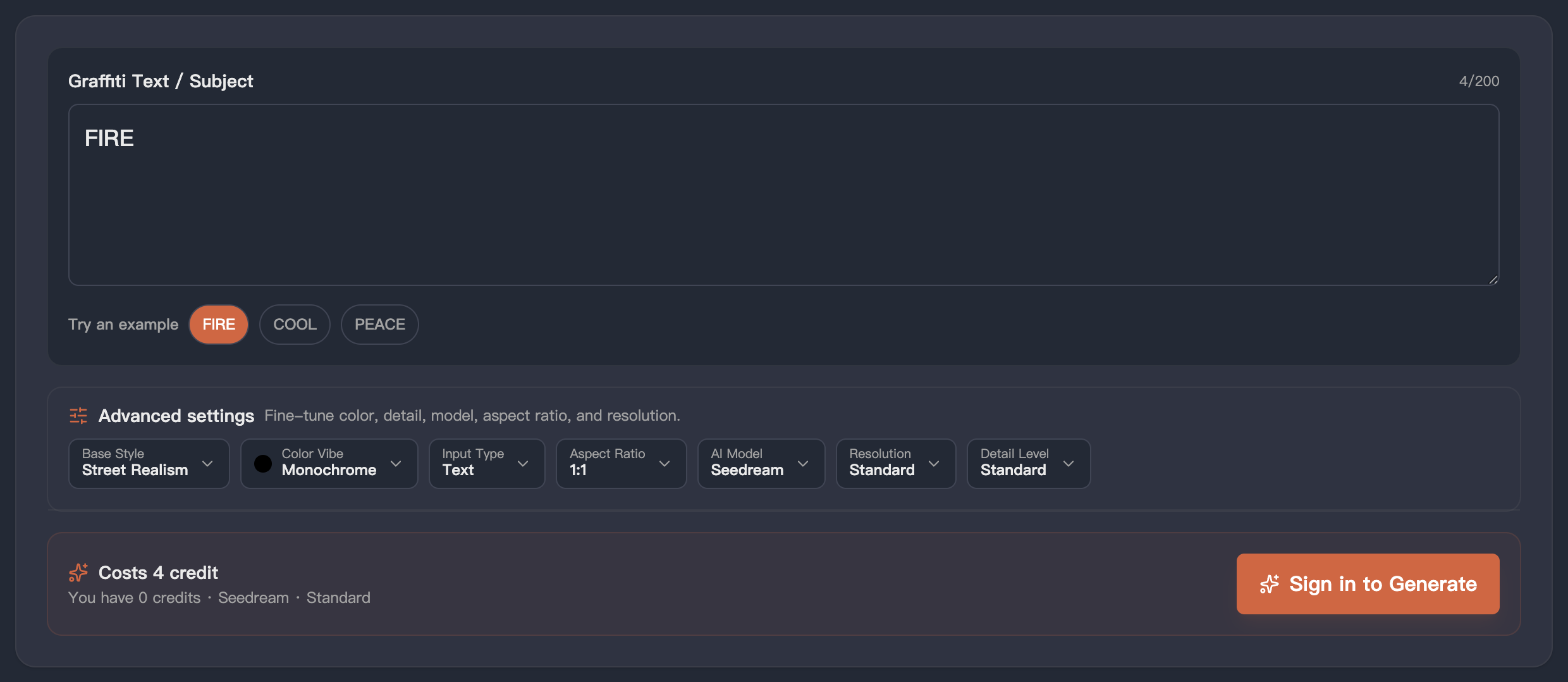
Graffiti Generators provides two tools because exact lettering and open-ended image generation are different problems. The browser font editor constructs the word from installed typefaces and adjustable layers. The AI workspace sends a structured prompt to a selected general image model. Choosing the wrong workflow creates predictable frustration: asking AI for flawless long text, or asking a font editor to paint a complete cinematic wall scene.
Decide whether exact characters or the surrounding visual concept is the primary requirement.
The short decision
Use the font generator when the exact word must survive, when you need direct color and effect controls, or when a transparent lettering layer is the intended output. Use the AI generator when you need an environment, illustrated subject, unusual material, or broad compositional variation and can manually review or rebuild the text.
| Criterion | Browser font generator | AI graffiti generator |
|---|---|---|
| Text accuracy | Preserves typed characters | Can omit, repeat, merge, or replace letters |
| Control | Direct fill, outline, shadow, spacing, pattern, plate, background | Prompt-based style, color, detail, ratio, model, and resolution choices |
| Variation | Predictable variations from fonts and layers | Wider, less predictable image variation |
| Preview cost | Editing is free | A submitted generation uses displayed model credits |
| Download rule | PNG preparation requires sign-in and currently costs 2 credits | Download follows the generated result and account flow |
| Output type | Raster lettering composition | Raster image concept |
| Strong use | Names, headings, lettering layers | Scenes, materials, illustrated concepts |
| Main limitation | Not a complete illustration or editable vector font | Text and small details can be inaccurate |
When accuracy matters most
A brand name, event title, product label, school heading, or safety message fails if a letter is wrong. Begin with the font editor. Type the exact capitalization, choose a readable family, and check the difficult pairs. Keep effects separate so you can reduce an outline or shadow without changing the characters.
The font editor is also useful as a specification even when its PNG is not the final asset. Record the selected face, letter spacing, fill, contour, depth direction, and background. A designer can then rebuild the approved direction as vectors. The editor does not automatically grant a font license or trademark clearance, and its PNG remains a raster file.
AI can still help such a project, but move the exact name outside the model's responsibility. Generate a texture or wall scene without text, create accurate lettering separately, and combine the layers in a design application. This hybrid route is usually easier to correct than repeatedly prompting a model to repair one wrong character.
When exploration matters most
Choose AI when the core question is visual: What would crystal letters look like under colored light? How might a moss-covered word sit on aged concrete? Could a fox emblem and a wide wall composition share one palette? The 14 style presets and six palette directions let you compare concepts that a font editor does not render.
Accept that control is indirect. A palette influences dominant color but does not lock each object to a swatch. A style prompt influences material and shape but does not behave like a deterministic filter. Higher detail can add texture while reducing clarity. Changing the model can change composition even when every other setting remains the same.
Document the built prompt and evaluate spelling, crop, contrast, hierarchy, and unwanted content. If the image is only a reference, mark it as AI-assisted in project records and identify which parts will be redrawn.
For the current AI image option, see Nano Banana 2.1 is now live on Graffiti Generators. It covers the 4-credit Standard image, the 8-credit 4K image, and the limits that still make the font editor useful; AI image costs do not replace the font editor's separate download rights.
Compare time and cost honestly
The font editor responds locally while you change controls. That makes iteration immediate, but careful spacing and production rebuilding still take human time. AI generation requires a server request; time varies with model and queue, and each request uses the credit cost shown in the workspace. A larger credit pack does not guarantee a successful composition, correct spelling, or faster provider response.
Estimate work by useful decisions, not button clicks. Ten random AI outputs can be less valuable than one structured comparison. Five font variations with different effects can also waste time if the underlying face is wrong. Use a small test matrix: hold the word and ratio constant, change one style; then hold the selected style constant and compare one palette or model.
For a client project, include manual review and refinement in the estimate. Neither tool produces automatic legal clearance or print-ready vectors. AI output can contain artifacts, and font output may require contour cleanup, optical spacing, color conversion, and license verification.
Three project examples
A readable podcast title: Start in the font editor with block, bubble, and stencil directions. Test a square avatar in one color. Rebuild the selected version as vectors. AI is optional for a background texture.
A fictional alley-scene concept: Start in AI with Street Realism, a limited palette, and 16:9. Keep any required word short. If spelling fails, replace it later with font-generated lettering. The image remains a concept until rights and production needs are reviewed.
A sticker with a mascot and name: Split the task. Generate a mascot or scene without text, create the exact name in the font editor, and assemble both under a shared outline. Check that you have rights to the mascot references and font.
A combined workflow
- Write a brief with exact text, destination, ratio, and rights constraints.
- Use the font editor to establish accurate lettering and a one-color silhouette.
- Use AI to explore background, material, or atmosphere without depending on correct text.
- Export reference copies and assemble them in a layer-based design application.
- Redraw important contours, correct artifacts, and standardize spacing and depth.
- Test at final sizes and on realistic backgrounds.
- Review model terms, font licenses, third-party rights, and property permission.
This sequence gives each tool the part it handles more reliably. It also creates an editable separation between content and atmosphere, making future changes less expensive.
For practical next steps, follow the AI workspace tutorial, font editor tutorial, prompt guide, and branding delivery guide.
