
Nano Banana 2.1 is now live on Graffiti Generators. It is the default AI image model in the workspace; GPT Image 2.5 remains available at 12 credits for Standard or 16 for 4K. Open our AI graffiti generator to create graffiti lettering concepts, wall scenes, stickers, and other street-art directions. For Nano Banana 2.1, Standard costs 4 credits and 4K costs 8 credits. Square outputs are 1024×1024 and 4096×4096 respectively; dimensions vary with the selected aspect ratio. These credits pay for AI image generation; they do not change the separate browser font editor's local workflow or its font-download rights.
Google's official release notes date the Nano Banana 2.1 release to October 6, 2026. This article was published on October 7, 2026. The original article announced upcoming support; this update describes the integration. Google's model release date and this article's first publication date do not, by themselves, establish our site's rollout time.
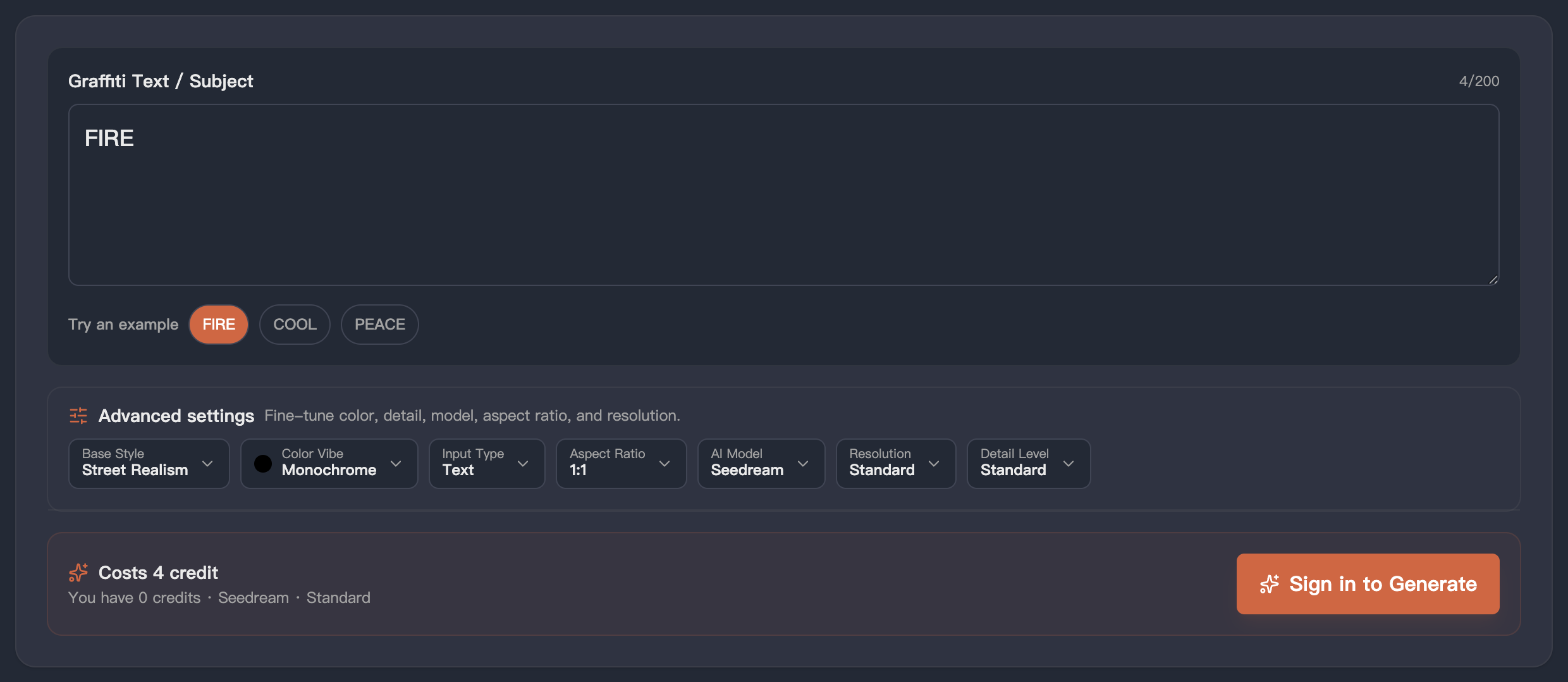
This screenshot shows the existing Graffiti Generators workspace. It is not a Nano Banana 2.1-generated result and is not presented as a new-model example.
What is Nano Banana 2.1?
According to Google's model documentation, Nano Banana 2.1 is an image-generation and conversational-editing update to Nano Banana 2. Its API model identifier is gemini-nano-banana-2.1.
Google highlights improvements in visual quality, prompt following, text rendering, and consistency across edits. Its documentation lists 1K, 2K, and 4K image outputs as model capabilities. Graffiti Generators currently exposes the two Nano Banana 2.1 resolution choices shown below, with the output dimensions and credit costs stated directly:
| Setting | Square AI image example | Cost per generation |
|---|---|---|
| Standard | 1024×1024 | 4 credits |
| 4K | 4096×4096 | 8 credits |
Both settings generate raster AI images. The sizes in the table are for the 1:1 ratio; 16:9, 9:16, and 21:9 use different dimensions at the same Standard or 4K credit cost. The 4-credit and 8-credit amounts are generation costs, not font-editor download fees or a change to the rights attached to local font editing. The browser-based graffiti font generator remains a separate workflow for building lettering from typed characters and adjustable effects.
There is no graffiti-specific benchmark in this article and no claim that Nano Banana 2.1 is better than another model for every task. The practical guidance below focuses on controllable briefs and review steps rather than untested comparisons.
Why this update matters for graffiti creators
A useful graffiti image needs more than attractive texture. The word should remain recognizable, the outline should separate it from the wall, and shadows should agree on a direction. A beautiful image that changes your name or crops the first letter still misses the brief.
Those are the questions creators can explore with Nano Banana 2.1: can a short lettering brief hold together, can a palette remain coherent, and can a wall scene leave enough space around the main subject? They are useful evaluation questions, not guarantees. Start with a readable style before adding complex connections. Our bubble-letter graffiti guide explains rounded letter construction, while the 3D graffiti lettering guide helps you describe consistent depth and shadow.
Choosing Standard or 4K
Standard is a sensible first pass when you are checking spelling, silhouette, composition, and color roles. It costs 4 credits and returns a 1024×1024 image at 1:1. Use 4K when the direction is already worth inspecting at larger dimensions; it costs 8 credits and returns a 4096×4096 image at 1:1. Other ratios have their own output dimensions. More pixels can help with viewing and downstream layout, but they do not guarantee correct letters, cleaner hierarchy, or a finished production asset.
If you want a controlled comparison, open the Graffiti Generators workspace and keep the word, palette, style, and composition fixed while changing only the resolution. Save the prompt and note the displayed setting so you can tell whether a visible difference came from Standard versus 4K rather than from several changes at once.
Three practical Nano Banana 2.1 prompts
Treat these as starting briefs for the live model. They are deliberately specific about the word, construction, palette, and exclusions. For a fuller formula, use our graffiti prompt guide. Generate a first pass at Standard, inspect it, and move to 4K only when a larger image is useful for the next decision.
1. Readable bubble lettering
Create the exact word "NOVA" in large, readable bubble graffiti letters. Use a coral-pink fill, a thick dark-purple outline, and restrained white highlights. Place the word on a pale concrete wall, centered in a square composition with generous margins. Keep letter counters open. No additional words, signatures, or logos.
Judge spelling and silhouette first. If the word fails at thumbnail size, simplify decoration before asking for more texture. Do not accept a missing letter just because the colors look appealing.
2. A wide 3D wall concept
Create the exact word "ECHO" as bold 3D graffiti lettering on a light-gray wall. Use a teal letter face and deep-navy extrusion, consistently directed down and right. Keep the wall texture subtle and leave empty space around the complete word and shadow. Wide 16:9 composition. No extra text or people.
Check depth direction and cropping separately. Describe one lighting setup rather than combining incompatible shadows. The graffiti color palette guide can help you assign distinct roles to the face, outline, and background.
3. A background for accurate lettering
Create a weathered concrete wall with subtle spray-paint texture at the edges. Keep the center bright, quiet, and mostly empty so a separate lettering layer can be added later. Soft side lighting, limited charcoal and warm-gray palette, wide composition. No letters, signs, logos, or people.
This brief deliberately leaves text out. Create the name in the font generator and assemble the layers in your design application. Our graffiti background and texture guide explains how to keep the surface from competing with the word.
Keep exact text under your control
Improved text rendering does not mean error-free lettering. Google's model card still identifies limitations involving small text, long passages, and instruction following. Review every character before using an image as a finished design, especially for names, signs, labels, and other text that must be exact.
For a brand name, event title, or long phrase, a hybrid workflow is worth considering: generate an environment, create accurate letters separately, then combine and refine them. Our AI vs font graffiti generator comparison explains when to choose each approach. The AI image credit covers the image-generation request; it does not replace font licensing, trademark review, or any separate font-editor download requirement.
Nano Banana 2.1 FAQ
Is Nano Banana 2.1 available on Graffiti Generators?
Yes. Nano Banana 2.1 is the default AI image model in the Graffiti Generators workspace, alongside GPT Image 2.5. The workspace combines it with the site's graffiti prompt builder, styles, colors, details, ratios, and resolution controls.
How many credits does each image use?
Nano Banana 2.1 uses 4 credits at Standard and 8 at 4K per AI image; GPT Image 2.5 uses 12 and 16 credits respectively. For Nano Banana 2.1 at 1:1, the outputs are 1024×1024 and 4096×4096; other aspect ratios use different dimensions without changing the tier price. Those amounts apply to AI image generation. They do not grant, replace, or change the separate browser font editor's local editing and font-download rights.
Does 4K guarantee better lettering?
No. 4K provides a larger output, but it does not guarantee spelling, readable letterforms, correct composition, or compliance with every instruction. Inspect the word, crop, contrast, and unwanted symbols at the intended use size before treating the image as a finished design.
Does Nano Banana 2.1 replace the graffiti font generator?
No. Nano Banana 2.1 is for prompt-based AI image concepts and scenes. The font editor gives you direct control over typed lettering and effects. They solve different parts of a design and can be combined when exact text matters.
